Blackberry storm review

I’ve been playing around with my iTouch for over a month now, appreciating it more and more every day. On Friday, I bought myself the new Blackberry storm from Verizon.

The bad:

1. The on screen keyboard isn’t effective.
While I like the tactile feedback, the keyboard is cramped. The key you are hovering over is highlighted (to allow you to make a correction before entering the key), but the keyboard is so crammed that the highlighted key is hidden underneath your finger.

2. The keyboard is often in the way and is hard to dismiss.
When using the keyboard, it often dominates the screen real estate, not allowing you to see what you are working on.

3. The UI navigation and accelerometer is sluggish.
There always seems to be a second or 2 lag before applications are opened. Furthermore, switching between landscape and portrait mode usually takes a couple seconds.

4. Commands are often 2 clicks away.
Many of the apps hide common commands away in the application menu. When sending an sms message for example, you have to open the file menu, and then select send message … instead of being able to quickly send the message with one button.

5. No wifi
I’m really puzzled by this. When data is unlimited, I don’t see the motivation to disallow users to use their own bandwidth instead of that of the Verizons

The good

1. Having a 3.2 Mpx camera is sweet!

2. GPS navigation from wireless is fast, accurate, and well designed.

3. The email application is better than the iPhone app.
Emails are consistently cached locally for quick and speedy retreival off or online, while the iPhones messages are rarely cached locally.

The No Complaining Rule

I just finished reading “The No Complaining Rule” by Jon Gordon.
I think I’ve been fortunate to work with, and socialize with generally *positive* people, but the book resonates strongly with me. I often find myself being adversely affected by negativity in work and social settings.

My top 5 things noted from the book:

1. There are 2 reasons why people complain:
– They are fearful and helpless
– Complaining has become habit

2. 80% of people you complain to don’t give a da#$mn, and 20% are happy that you are complaining.

3. “Venting” as people like to call it …. is bull shi#$t.
– I think people justify their complaining by saying that it’s therapeutic in some way. Somehow by “getting things off their chests”, they’ll feel better. I simply don’t believe this. Therapists used to get their clients to knock out a punching bag until they found out that the temporary satisfaction did not outweigh the long term anger and violence it generated. Complaining tends to cultivate negativity and adversely affect both the complainer AND the person being complained to.

4. There is a time and a place for complaining.
– The world isn’t perfect, and one shouldn’t just accept everything in an effort to avoid complaining. Don’t mindlessly complain; but rather complain in an attempt to find a solution to the issue you are complaining about. Use the moment as a signal that there is a problem that needs a solution … not a problem that needs to be ranted about.

5. Allow the grass to grow instead of spraying the weeds.
– Instead of killing off all of the negative energy, foster a positive environment where positive thoughts suffocate the negative ones.

6. Focus on the positive and be grateful
– Pause to think of all of the things that you’re grateful. Recognize that no matter how bad you have it, somebody has it much worse. You can’t be both negative and grateful at the same time, so focus on the positive.

7. It’s YOUR CHOICE
– When dealt with any situation; it’s YOUR CHOICE to focus on the negative of the situation; or else to take the positive path.

I suppose more than anything, I was reminded that happiness is determined 10% by facts, and 90% by presentation and selection of these facts. We all exist in a world that we could either paint to be evil, malicious, and negative … or else one that is happy, and positive. The choice is ours.

TSN Hockey Marketting trying too hard

I haven’t watched a lot of hockey over the last few years. Actually not since the Oilers made a run at the Stanley cup and I found myself the only person in Seattle who cared, but I watched TSN’s premier last night. I was curious how TSN would market the hockey season in light of their acquisition of the hockey song.

Was it just me, or was TSN trying way too hard to spice up their marketing? Did they feel they had a higher bar to live up to? To do the Hockey anthem proud?
Here’s my random thoughts as I was watching the telecast:

1. The introduction by TSN analysts talking about Canada’s passion for hockey really was over the top and didn’t seem genuine.
Pierre McGuire, Bob McKenzie, and the other analysts. talking about how Canada would fall off the map without hockey was absolutely ridiculous. With all of the backgrounds of wheat fields, oceans, maritime aquatic life, little boys tying their skate laces on a frozen ponds? Honestly, we get it, Canada likes hockey.

2. The players talking about who they’d thank if they won the cup was equally cheesy

3. The half simulation, half real life players skating around a computer generated skating rink? Are you kidding me? I thought with the acquisition of the old CBC hockey song TSN finally understood that there was something nostalgic about watching hockey. Part of why I loved watching CBC hockey night in Canada was that it reminded me of watching hockey as a 5 year old with my dad on a 20 inch black and white TV. When I was watching TSN, I was reminded of playing XBox 360 to earlier that day.

4. They’re ruining the Hockey Song!
They played it way too long at the start, and then absolutely every single opportunity they had, they played it. Every whistle, every break, every commercial, every time a goalie made a save, they’d play that stupid song.

Other than that, watching hockey again was fun.

Oscar Wilde out does David Blaine

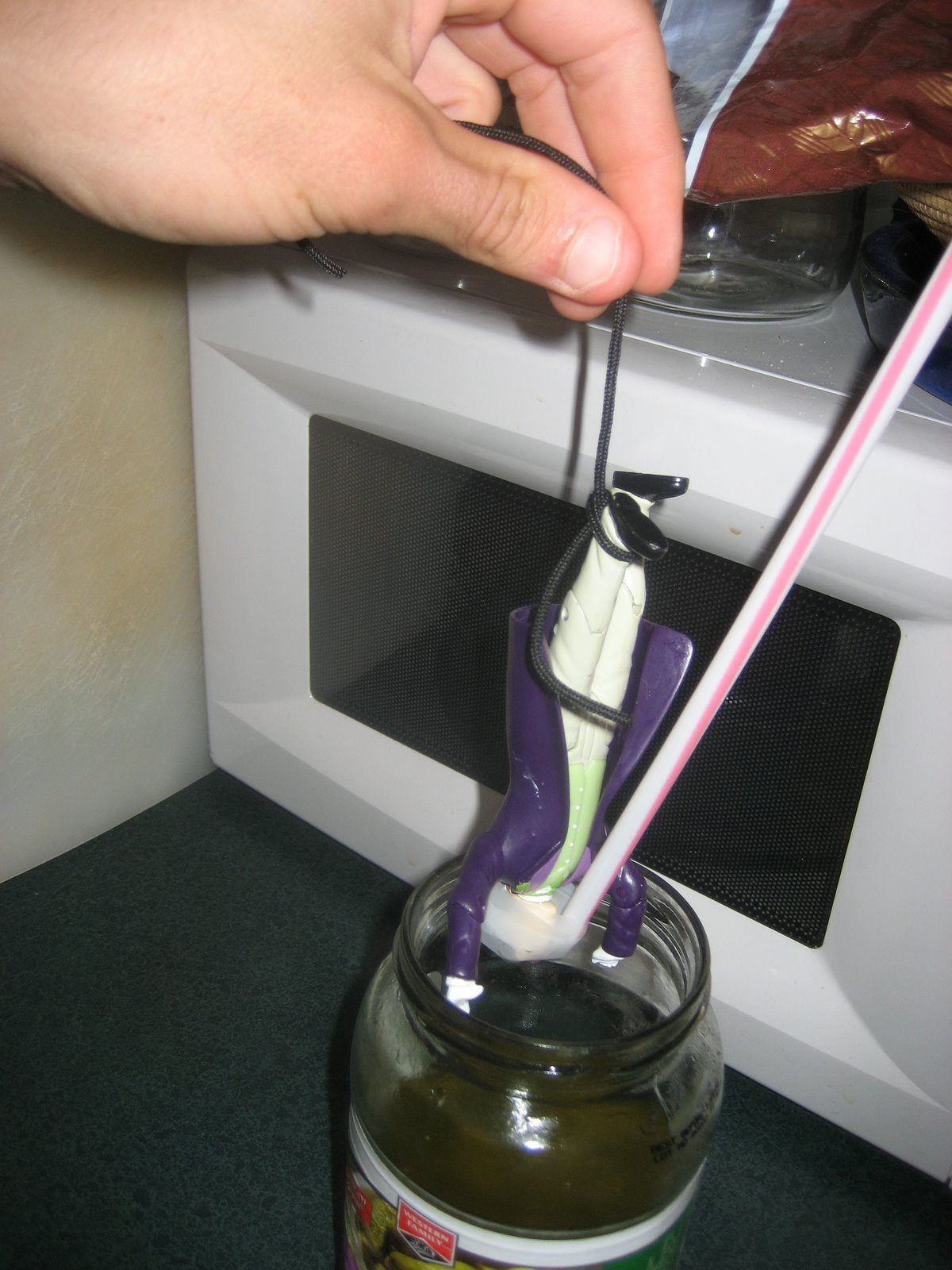
Inspired by David Blaine’s most recent death defying stunt mini Oscar Wilde will tempt fate by trying to outdo the daredevil Blaine.

Known more for his play writing, Oscar is attempting to not only suspend himself upside down, but do so locked from within a jar of pickles.


As seen in the pictures from the event, Oscar was first scrubbed down for sanitary reasons, then equipped with sophisticated breathing mechanics for while he is submersed in pickle juice.

Oscar is attempting to spend 160 hours immersed and locked in the pickle jar.

The utimate success in startups


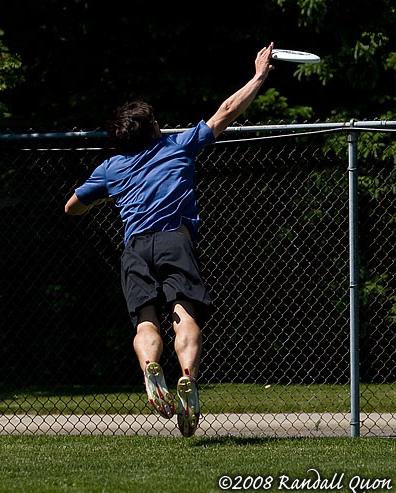
It seems that since this summer, time normally spent throwing words at my Blog has quickly become time spent throwing Frisbees on an ultimate field. So it seems only appropriate that the theme for this blog should focus on ultimate Frisbee and startups.
Without further ado … The similar keys to success in Ultimate Frisbee and in a startup.

1. Learn nothing from success, but everything from failure
Once every couple weeks, one of my favorite quotes pops on one of the tech startup blogs I read. Most recently Don Dodge used this quote about “success being a terrible teacher.”

In 2005, our mens ultimate Frisbee team (EMU) went into Canadian Nationals as the number 3 seed in the country. The tournament went down as one of the most disappointing for EMU, after we finished the weekend in 11th spot. Looking back at this classic collapse, I often attribute much of it to success we had earlier in the season. We had beaten Calgary in Alberta regionals handily, and dominated Flowerbowl in Vancouver earlier in the year. However, these successes taught us nothing. We won Alberta regionals on a cold, soggy, rainy day where we played the game with the same 7 players. Similarly, Flowerbowl was a victory against a weaker division. The success of these tournaments was misleading. Not only did we fall under the false belief that we could succeed with a smaller roster, but it instilled a false sense of entitlement in our players. Instead of being hungry, and eager to improve, we became complacent and content. We glossed over the areas that we could have improved on, and glorified all of our success.

2. Effort less than 100% results in quick failure.
I wish I was … but sadly, I wasn’t blessed with the god given speed, agility, or fitness that many athletes are born with. Nor was I born with Stephen Hawking’s IQ. Any success I’ve had, has pretty much been achieved through a lot of hard work. Unfortunately, in the case of both career and ultimate Frisbee, not giving 100% has resulted in some pretty terrible performances. The 2006 and 2007 ultimate seasons are good examples of this. Infrequent training, poor diet, and not practicing resulted in my worst 2 ultimate Frisbee seasons ever. In the same way I feel completely behind after being away from the office for only a couple days; the second I take a step back from the ultimate field I feel completely behind. I’m unconditioned, can’t keep up the pace, am confused on the field, and not ready to compete at a high level. There’s little room for taking a break in a startup, or on the ultimate field. The game just moves too quick, you’ll be left too far behind, it’ll be tough to get back.

3. But there is always a chance to bounce back
Another of my favorite sayings … “if you haven’t failed, you’re not trying hard enough.” The game of Ultimate Frisbee, perhaps more than any other, allows you opportunity to atone your error quickly. Drop the Frisbee? Work extra hard and get it back with a layout defense. Throw the Frisbee away? Block your opponent next pass. Mistakes, both in ultimate, and in start ups are crippling, but they happen. Of course, the goal is to minimize your mistake, but more important than that, is your ability to realize the mistake, adjust, and fix the problem quickly.

Comparing Fenway vs. Safeco much like comparing Boston vs Seattle


On Friday, July 11th I was lucky enough to take in my very first Red Sox game at Fenway park here in Boston.

I’ve attending many games at Safeco field in Seattle, but going to a different ballpark truly was novel.

I’m still pretty excited thinking about my experience a week later, and have described the evening at Fenway to a number of my peers back west. I got into the habit of comparing the evening to an evening at Safeco, and I started to realize that comparing my first couple weeks in Boston to my time spent living in Seattle. Both (Fenway and Boston, Safeco and Seattle) are absolutely amazing, stunning, and beautiful cities and ball parks in their own rights. A lot of people could argue they are tops in the league and country. Here’s my take on Fenway and Boston, and how it compares to Safeco and Seattle.

1. Everything seems so tight and confined, at Fenway.

Fenway is small. Seating capacity, I would guess, would be around 38,000. It’s crammed full, a sell out every evening. The walkways are full of fans, herded together like cattle on their way to their seats. The space between these seats is similar to that found between seats on an airplane.

Safeco, while a quaint ballpark itself, is much more spread out. The 38,000 that attend the typical game are sprinkled amongst nearly 50 thousand seats, resulting in a much more spread out feel.

I very much get this closed in, confined feeling traveling around Boston. The turnpike is narrower (but with as many cars), the subways are shoulder to shoulder, the streets themselves seem to be even more crammed with commuters than the massive I5, 405, or 520. Maybe it’s just me, but Seattle, as a result of all of the hills, trees, lakes, ponds and inlets, just seems so much more spread out.

2. The second I set foot inside Fenway, it felt like I’d walked back in time.

Fenway is old, creaky, and smells a little musky, much like you’re granddads house.

Safeco was designed (like all stadiums built in the 1990’s) to feel like an old ball park. It does great job of this for the most part, deep down you know you’re in a new park. That’s the price you pay for some of the luxuries of cushioned seats, wider aisles, and elevators that take you to upper levels.

While Seattle has it’s definite touch of history (especially walking around Pioneer Square), there’s no denying Boston’s place in American history.

3. There’s an unmistakable touch of attitude in the air in Fenway.

It just so happened that our seats were exactly in the middle of the isle. Of course because of this and the fact we showed up at the game late, there was much ado when we arrived, and forced people to stand up. For the rest of the game, my friendly seat neighbors, when not harassing the Baltimore batter or pitcher, would remind me about making them get up to let us in. This was always followed by saying that it could all be made up by “picking up a dozen beers for the row.”

It seems cliché stating that Seattlites and Mariner’s fans seem a bit more laid back, but it truly feels like they’re too busy instant messaging on their phones, browsing the web on their iphones, checking their Microsoft stock, to worry about harassing their opposition or their aisle neighbors.

4. Deciding what to eat really was deciding on how long of a hot dog I would get.

Fenway celebrates baseball, as baseball has been celebrated for a hundred years. This means that when I go up to buy dinner at the park, I can buy, a hotdog, a lukewarm pretzel, peanuts, and if I’m lucky a big slab of greasy pizza. No low fat, low calorie, no meat option. That’s a far cry from the Ichiroll (that’s a sushi roll), cashew cicken stir fry, Mexican Burito, or Salmon sandwhich that I can get at Safeco. Boston definitely has it’s share of ethnic restaurants, but in my 2 weeks here I’d say that the pizza and submarine sandwhich shops outnumber the Thai, Chinese, and sushi restaurants 5 to 1. In Seattle, I’d say it’s exactly opposite.

Obviously this is hardly scratching the surface of the differences between the cities (I’m sure the cuisine is the least of which any detailed comparison would discuss). However, any comparison, by it’s very nature is highly subjective. And for a kid who is still excited about his first Red Sox game, this seemed to resonate the obvious differences.

Exim servers removing sender message header

Once the ActionMailer base class was all patched up, I was able to add both the envelope sender and the message sender headers to outgoing messages. For test purposes I used the following simple test method:

def test(mail_to, mail_from)
subject “My simple rails mail”
recipients mail_to
from mail_from
sent_on Time.now
sender ” Accounts <accounts@mydomain.com>” #envelope and message header for SPF check
end

In addition, engine yard added an spf record to allow our messages to pass spf authentication checks:

“v=spf1 include72emailsrvr.com include72_spf.ey01.engineyard.com ~all”

Unfortunately, the messages I was sending myself as tests, once delivered, did not include the message sender header. Checking the production log confirmed that messages leaving our application included the message header.

After some troubleshooting, I discovered that the exim servers were stripping off the message sender header, as the message was being sent out This was because exim doesn’t allow non-local users to set the header (at least this seems to be a hard rule according to the documentation I’ve read). So as a workaround, we’re using another smtp provider that allows us to authenticate in, and then send mail. This is working great.

Ie. In the ActionMailer configuration:

ActionMailer::Base.smtp_settings = {
:domain => “yourdomain.com”,
:perform_deliveries => true,
:address => ‘smtp.yoursmtpserver.com’,
:port => 587,
:authentication => :login,
:user_name => “mailuser@yoursmtpserver.com” ,
:password => yourpassword
}

Where did my thawte generated .pvk go?

After going through the process of generating a microsoft authenticode signing certificate (spc) using Thawte, I was already to incorporate code signing into our build process. One problem. Where is my .pvk file?

The private key is generated during the certificate request process. Thawte never actually has access to your private key (this is obviously a good thing and by design). Unfortunately I originally went through the reqest process from my Vista dev. machine. Due to restricted security permissions,

Vista not only saves the private key into the registry (I knew this before hand and was ok with it), but it also meens that the private key can not be exported from this machine.

Thawte has a known issue article about this, but I’d failed to read it before hand.

The work around … re-issuing the certificate, but this time, placing the re-issue request from our build machine where the pvk is easily exportable.

Sending email on behalf of users – Part 2 – Patching ActionMailer

Our application was developed using Ruby on Rails, and leveraged RoR’s ActionMailer class to send emails. If you’re not using Rails, you can easily ignore the following.

Unfortunately, when using rails, perform_deliver_smtp of ActionMailer simply use mail.from as the envelope-from when setting the SMTP header. As mentioned earlier, we would like to take into consideration mail.sender if it exists. So I had to patch up the ActionMailer base class to specify the envelope-from as well as the Message sender header:

Once these changes were made, and I restarted our mongrel instance, I was able to set both the message and envelope sender.

Here’s the diff file of the changes to the base class that were needed:

Index: lib/action_mailer/base.rb

===================================================================

— lib/action_mailer/base.rb (revision 6287)

+++ lib/action_mailer/base.rb (working copy)

@@ -36,6 +36,7 @@

# * from – Who the email you are sending is from. Sets the From: header.

# * cc – Takes one or more email addresses. These addresses will receive a carbon copy of your email. Sets the Cc: header.

# * bcc – Takes one or more email address. These addresses will receive a blind carbon copy of your email. Sets the Bcc header.

+ # * sender – Takes just one email address. This address will be used to envelope-from of SMTP and appear in Sender: header.

# * sent_on – The date on which the message was sent. If not set, the header wil be set by the delivery agent.

# * content_type – Specify the content type of the message. Defaults to text/plain.

# * headers – Specify additional headers to be set for the message, e.g. headers 'X-Mail-Count' => 107370.

@@ -315,6 +316,9 @@

# header will be set by the delivery agent.

adv_attr_accessor :sent_on

+ # Specify the Sender address for the message

+ adv_attr_accessor :sender

+

# Specify the subject of the message.

adv_attr_accessor :subject

@@ -513,6 +517,7 @@

m.to, m.from = quote_any_address_if_necessary(charset, recipients, from)

m.bcc = quote_address_if_necessary(bcc, charset) unless bcc.nil?

m.cc = quote_address_if_necessary(cc, charset) unless cc.nil?

+ m.sender = sender unless sender.nil?

m.mime_version = mime_version unless mime_version.nil?

m.date = sent_on.to_time rescue sent_on if sent_on

@@ -548,16 +553,19 @@

def perform_delivery_smtp(mail)

destinations = mail.destinations

+ sender = mail.sender(nil) || mail.from

mail.ready_to_send

Net::SMTP.start(smtp_settings[:address], smtp_settings[:port], smtp_settings[:domain],

smtp_settings[:user_name], smtp_settings[:password], smtp_settings[:authentication]) do |smtp|

smtp.sendmail(mail.encoded, mail.from, destinations)

+ smtp.sendmail(mail.encoded, sender, destinations)

end

end

def perform_delivery_sendmail(mail)

IO.popen(“#{sendmail_settings[:location]} #{sendmail_settings[:arguments]}”,”w+”) do |sm|

+ arguments = sendmail_settings[:arguments].dup

+ arguments += ” -f#{mail.sender(nil)}” if mail.sender(nil)

+ IO.popen(“#{sendmail_settings[:location]} #{arguments}”,”w+”) do |sm|

sm.print(mail.encoded.gsub(/\r/, ”))

sm.flush

end

Sending email on behalf of users – Part 1

Before delving into the details of sending email on behalf of users, I thought I’d provide a bit of background information.

For simplicities sake, I’ll just scratch the surface when describing the headers of interest when sending messages out on behalf of users of your application. In my next posts, further description of these headers will be provided as needed.

Envelope sender – The envelope sender (return-to) address is, for the most part hidden from the user. This address receives bounces, and is typically, the address used for Sender Policy Framework (SPF) lookups, as well as domain key records.

Message sender – The message sender is also hidden from users more often than not. As I’ll discuss later, SenderID will generally use the Sender message header to authenticate the message. MUA’s such as hotmail and outlook (and I recon any other SenderID/Microsoft supported agent) expose the sender to the user. If you’ve ever received a message in outlook where you see something like “From John on behalf of Jane,” you’re seeing the effect of a Sender header. Ie. An application or mailing list has sent mail on behalf of Jane; so the message sender = John and the message from = Jane.

Message from – The message from is what is most often exposed to the user receiving the message. Surprisingly, although this header is what is exposed to an end user, it’s simple to impersonate. I quote from one of the users in the thread:

It is therefore, our goal to set the following headers in an effort to have our users receive email from users of our application as opposed to our application itself.

Envelope sender: invites@ourapplication.com

Message sender: invites@ourapplication.com

Message from: user@theiractualdomain.com

If we successfully set these headers, SPF checks will pass (assuming we create SPF records for ourapplication.com), SenderID checks will pass (again assuming we create SPF records), and users will receive invitations from actual users as opposed to our application.

As I found out, setting these headers, and having email land in the inbox of users was easier said than done. I’ll start to describe the steps needed to accomplish setting these headers in my following